
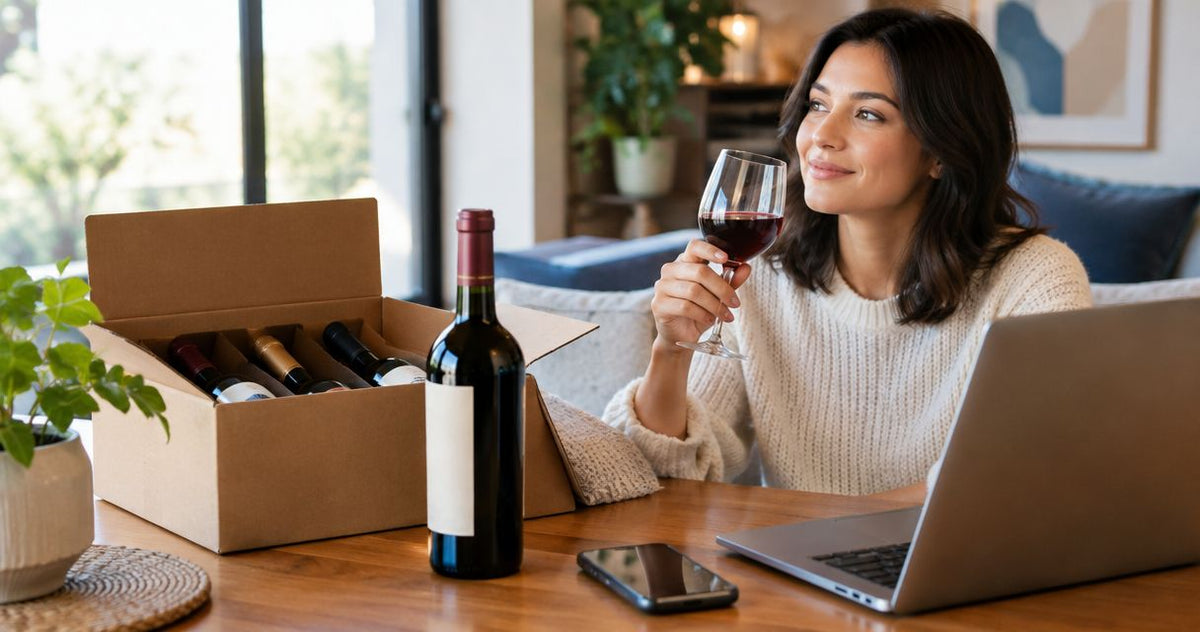
Instead of searching for your favorite wine every month, set up a recurring calendar reminder that opens your saved bottle page and prompts a purchase review. For a wine subscribe and save reorder routine in 2026, automate the reminder; automate purchases only through a retailer-supported recurring checkout whose terms you have confirmed.
- A wine subscribe and save reorder search does not establish that Buywinesonline offers automatic recurring purchases.
- Use Google Calendar for monthly reminders and keep purchase approval separate.
- Save the exact wine, vintage, bottle size, and preferred quantity before scheduling repeat orders.
- Check recurring-order terms before authorizing automatic wine replenishment; a reminder does not place an order.
Why this matters
A monthly wine subscription and a monthly wine reminder solve different problems. A subscription authorizes repeat transactions under the seller's terms; a reminder tells you when to review and place another order yourself.
Buywinesonline is an online wine retailer selling over 5,000 wines, gift sets, and curated tasting selections. Buywinesonline is best for home wine shoppers who want a broad wine selection and control over each reorder. That selection supports shopping for a favorite bottle, but it does not establish a recurring-purchase feature.
For your 2026 routine, separate three decisions: which wine to repeat, when to review it, and whether the next purchase needs your approval. This keeps a convenient reminder from becoming an unintended commitment.
Before you start
- Have your materials ready: a Google account with Google Calendar access, the exact bottle page, and a note containing your preferred quantity. You do not need an integration app for a calendar reminder.
- Confirm checkout requirements: review the retailer's current delivery restrictions, age-verification requirements, and payment process before relying on repeat orders. US wine buyers must be at least 21 years old.
- Resolve the non-obvious gotcha: a saved link is not a permanent guarantee of the same vintage or bottle size. Record those details separately, and never treat a calendar event as proof that a subscription is active.
Use Google Calendar on the web for the configuration below. The bold labels identify calendar controls, not retailer checkout buttons; no store-specific subscription interface is assumed.
Choose your reorder workflow
Use a monthly reminder when you want the same wine but still want to approve every purchase. Choose retailer-supported recurring checkout only after reviewing its actual renewal and cancellation terms.
| Workflow | Best for | What it does | Advantage | Limitation |
|---|---|---|---|---|
| Monthly calendar reminder | Favorite-bottle buyers who want purchase control | Prompts you to review a saved wine page each month | Automates remembering without authorizing payment | You still complete checkout yourself |
| Retailer-supported recurring checkout | Buyers who explicitly want repeat transactions | Places recurring orders according to the seller's terms | Removes repeated checkout when the feature is offered | Requires confirmed terms and ongoing management |
| Bottle-count review | Households whose wine use changes | Prompts a purchase decision after checking bottles on hand | Connects ordering to actual need | Requires a count rather than a fixed automatic order |
A discovery subscription is a separate choice: its purpose is exploring selections rather than necessarily repeating one exact bottle. Do not substitute discovery for replenishment if your goal is the same producer, wine, and vintage.
For a wine subscribe and save reorder search in 2026, the practical decision is therefore not which automation sounds easiest. It is which part of the process you want to hand over: remembering, choosing, or purchasing.
Exact-bottle record
Build the record before creating the reminder. A producer name alone is too broad when you care about a particular wine.
- Open the product page for the wine you intend to repeat.
- Copy its complete name into a personal note. Include the producer, wine name, region or appellation shown, vintage, and bottle size.
- Record your preferred order quantity separately from the wine name. Label it as a preference, not a purchase instruction.
- Add the product-page link and a short reason for repeating the bottle, such as a household favorite or a familiar dinner pairing.
- Write a substitution rule: require your approval before choosing a different vintage, size, or wine.
Expected result: you have an exact-bottle record that lets you compare a future listing with the wine you originally chose.
Bottle size deserves its own line. A 750 ml bottle and a 375 ml bottle are different purchase units, even when the wine name looks similar. Comparing only the producer and varietal misses that distinction.
Keep this record descriptive. Do not put payment-card details into a calendar description, and do not use the note as an instruction for someone else to purchase alcohol on your behalf.
Monthly calendar trigger
Set up one recurring event for the review, not an event that claims a transaction has happened. A clear title is easier to act on than a vague reminder such as wine day.
- Open Google Calendar on the web and select Create, then Event.
- Enter a descriptive event title, such as Review favorite wine reorder. Choose your first review date and a time when you can check bottles and complete checkout if needed.
- Open Does not repeat and choose Custom.... Set Repeat every to 1 and choose Month, then select Done.
- Put the exact-bottle record in the event description, including the saved product-page link and your substitution rule.
- Use Add notification to set an alert that suits your schedule, then select Save.
Expected result: the event appears again on your calendar each month, with the bottle details and purchase-review instructions attached.
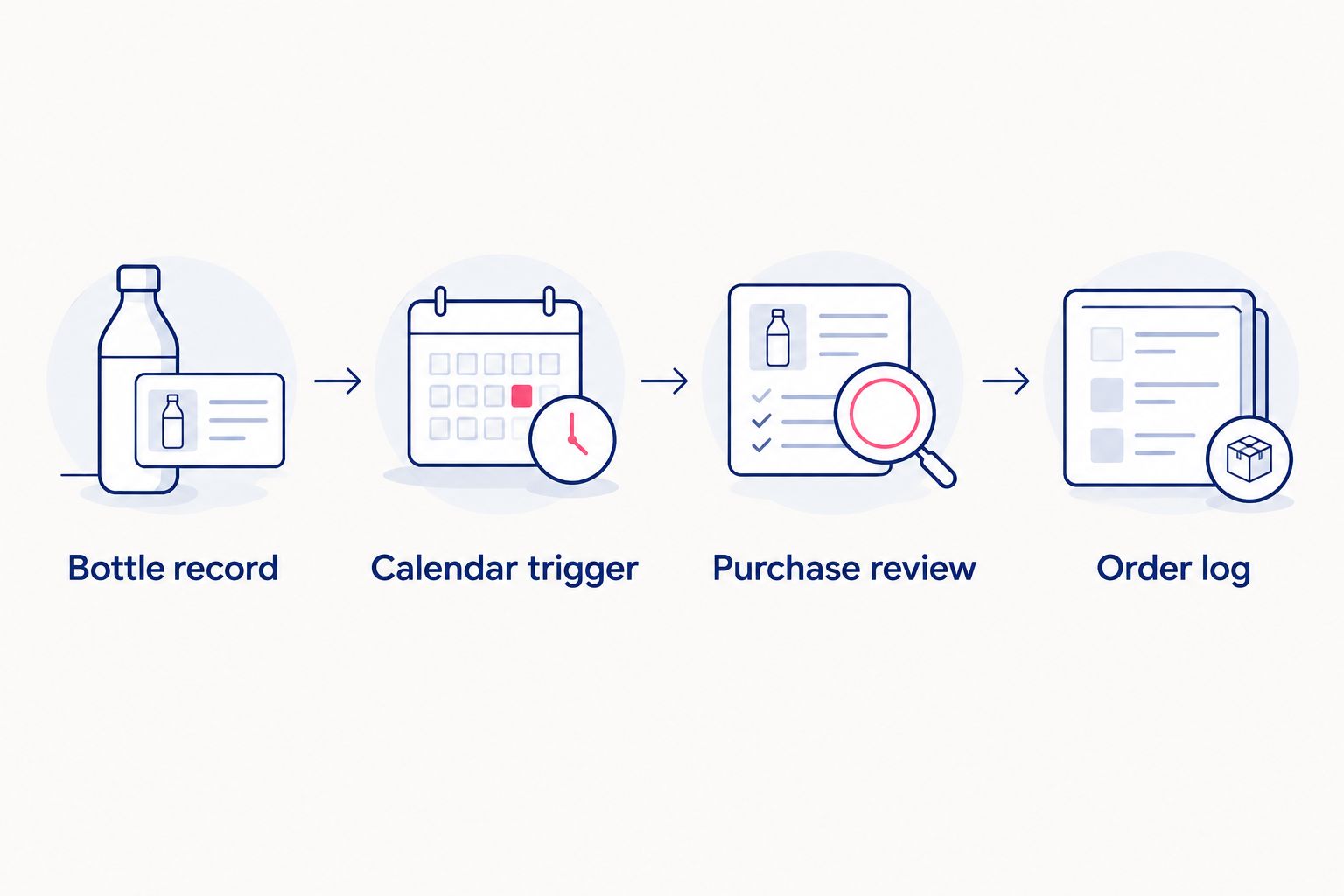
Check the next occurrence immediately after saving. If the recurrence or notification is wrong, fix the series before relying on it.
A monthly schedule creates 12 review opportunities per year, not a requirement to buy 12 times. Skipping a purchase is a valid outcome. For a 2026 setup, place the first review on a day that fits your household routine rather than choosing a date simply because it is the beginning of the month.
Purchase review and order log
The reminder removes the need to remember the task. Your review prevents the routine from repeating a purchase you no longer want.
- Count the unopened bottles you already have. Decide whether another order is needed before opening checkout.
- Open the saved product page and compare the complete wine name, vintage, and bottle size with your exact-bottle record.
- Review the intended quantity, delivery address, and current checkout terms. Complete the purchase only after approving those details.
- After checkout, record the order date and confirmation reference in your private order log. Keep the confirmation email for the transaction itself.
- If you decide not to buy, leave the calendar series active and note that you skipped this month's purchase.
Expected result: each review ends with either a deliberately approved order or a deliberate decision not to order. Neither outcome is confused with an automatic transaction.
Buywinesonline wine shoppers can use this approval-first routine without assuming a subscription exists. The advantage is control; the trade-off is that checkout remains a manual step.
If you find a recurring-purchase option during checkout, review it as a separate decision. Confirm the exact item, recurrence, quantity, renewal process, and how to change or end the arrangement before authorizing it.
Do not delete your reminder merely because you enable recurring checkout. Repurpose it as a monthly subscription review, with instructions to check upcoming orders rather than place a second purchase.
Second variant: reorder after a bottle-count review
Use a bottle-count review when a fixed monthly quantity does not match your household. The reminder stays automatic, while the order depends on what you actually need.
For this variant, keep the same Google Calendar event and replace the purchase instruction with a simple rule: count bottles first, then decide. It is a useful alternative when entertaining, travel, or changing preferences make monthly repetition too rigid.
- Choose a personal reorder threshold based on your own household use and storage space. Write it in the exact-bottle record.
- At each reminder, count unopened bottles of that wine, not every bottle in your collection.
- Compare the count with your threshold. If you have enough, skip the purchase; if you need more, review the saved listing and approve checkout.
- Adjust the reminder frequency when your routine changes instead of increasing purchases to match the calendar.
Expected result: your reorder decision follows bottles on hand rather than the assumption that every reminder must become an order.
A bottle-count workflow is not an automatic inventory integration. It asks you to update the count yourself, which is its main limitation. Its advantage is that the decision remains tied to a specific wine you already enjoy.
Troubleshooting
The reminder never appears
Open the event and check that the recurrence was saved for the series, not just one occurrence. Confirm that the correct calendar is visible and review its notification settings.
If you rely on a phone alert, check the phone's notification permissions too. A saved event and a delivered notification are separate things; test the alert before making it part of your routine.
The reminder appears, but no order was placed
That is the expected behavior of the calendar workflow. Google Calendar does not submit the retailer's checkout. Open the saved page, review the bottle, and approve the purchase yourself.
For actual recurring checkout, use the retailer's confirmation and account information to verify the arrangement. A calendar event is not a subscription receipt.
The saved page shows a different vintage or size
Compare the listing with your exact-bottle record before purchasing. If it differs, decide whether you accept the change and update your record only after making that decision.
Do not silently treat the same producer as the same product. The vintage and bottle-size lines exist specifically to catch this problem.
You receive duplicate reminders
Search your calendar for the event title and remove the redundant series. Before deleting, distinguish a single occurrence from the entire recurring event.
Keep one master reminder for each reorder routine. If multiple people manage household purchases, agree on one person to approve checkout so two reminders do not lead to two orders.
You enabled recurring checkout and also ordered manually
Review the retailer's order confirmations before taking another action. Keep the calendar event, but change its instruction from purchase review to recurring-order review.
Check the seller's current process for changing an order or recurring arrangement. Do not assume that deleting a calendar event changes a retailer transaction.
Customize your workflow
Expand the system only after the basic reminder works. Add a household preference note, a separate gift-purchase reminder, or a record of wines you tried and decided not to repeat.
For Buywinesonline wine reorders, keep favorites and discovery separate. Your favorite-bottle record should identify an exact wine; your discovery list can hold styles or selections you want to explore later.
If you want an inventory record beyond a calendar description, read the guide to connecting Buywinesonline orders to CellarTracker. Treat inventory tracking and checkout authorization as separate jobs, even when your recordkeeping becomes more detailed.
Review your 2026 routine after your first completed purchase. Keep the parts that helped you identify the right bottle, and remove reminders or notes that did not affect your decision.
FAQ
Can I automatically reorder my favorite wine every month?
Automatic purchases require a retailer-supported recurring checkout that you explicitly authorize. A monthly Google Calendar reminder automates remembering, but you still review and approve the purchase.
Does Buywinesonline offer wine subscribe and save reorder?
This guide establishes a reminder-based reorder workflow, not a Buywinesonline subscription service. Confirm any recurring-purchase option and its terms directly before authorizing repeat transactions.
What's the best way to remember a monthly wine reorder?
Use one recurring calendar event containing the exact wine name, vintage, bottle size, and product-page link. Set a notification and check the next occurrence after saving.
Is a wine subscription the same as reordering my favorite bottle?
No, a discovery subscription and an exact-bottle reorder have different goals. Check whether a recurring arrangement repeats your selected wine or sends changing selections before choosing it.
Will deleting my calendar reminder cancel a wine subscription?
No, deleting a calendar event does not cancel a retailer's recurring-purchase arrangement. Use the seller's stated cancellation process and keep confirmation of the change.
What should I do if the wine vintage changes?
Compare the new listing with your exact-bottle record and approve the change before purchasing. Update your record only if you deliberately accept the different vintage.
Can I skip a month in a reminder-based wine reorder routine?
Yes, a calendar reminder does not obligate you to buy. Count your bottles, skip checkout when you do not need more, and keep the reminder for the next review.
One last thing
Give your reminder an instruction to check before buying. The most useful recurring wine event is not an order command; it is a pause that brings your favorite bottle, household needs, and next purchase into the same review.
For 2026, start with the reminder-and-approval workflow. Move to automatic transactions only after you have confirmed the retailer's recurring checkout and decided that repeat purchases—not just repeat reminders—fit your needs.