
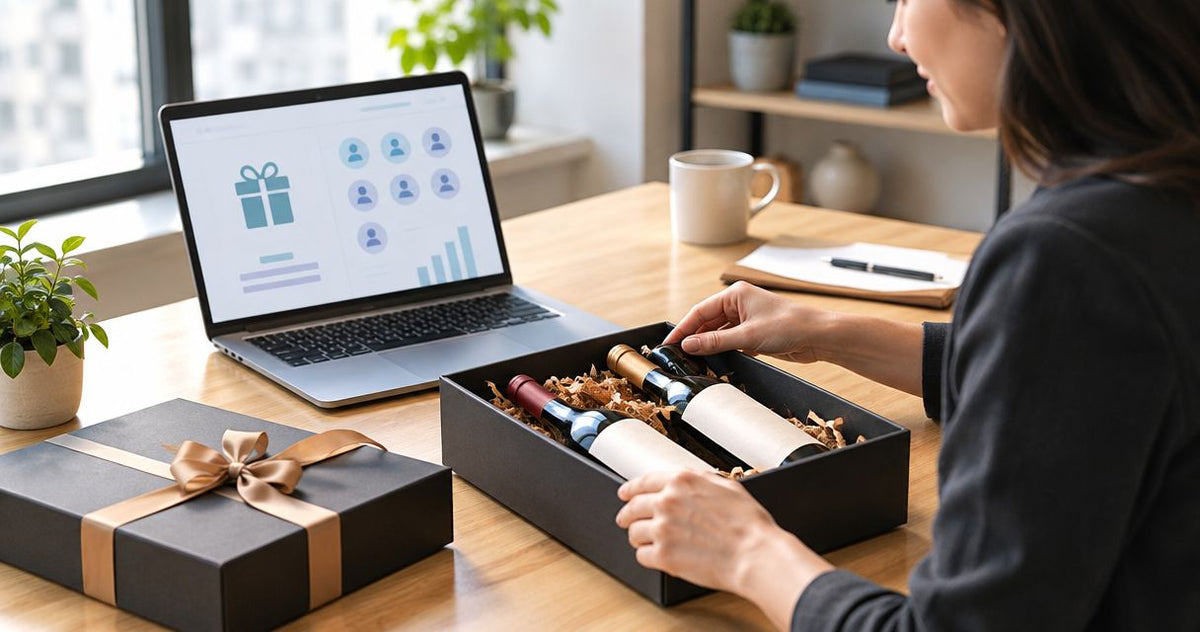
Instead of manually collecting addresses and placing disconnected wine gift orders, use your corporate gifting platform to collect recipient preferences, approve each gift, and route eligible orders through a supported fulfillment process. For corporate gifting platform wine gifts in 2026, confirm alcohol handling and retailer support before connecting any automation.
- Buywinesonline is best for buyers selecting retail wine gifts, not buyers seeking corporate gifting software.
- For corporate gifting platform wine gifts, verify alcohol support before building an order workflow.
- Collect recipient consent, delivery details, and wine preferences before approving corporate wine gifts.
- Keep platform approval, retailer order confirmation, and carrier delivery status separate.
Why this matters
A gifting platform organizes the campaign; a wine retailer supplies the gift. Do not treat a platform approval as a completed wine order. Recipient acceptance, destination eligibility, order submission, and delivery are separate checkpoints.
Buywinesonline sells wine bottles, gift sets, and curated tasting selections to US consumers and gift shoppers. That makes the retailer relevant to product selection, but it does not establish a native connection with your corporate gifting platform.
Buywinesonline is best for buyers selecting retail wine gifts, not buyers seeking corporate gifting software. Use the platform to manage the gifting process only where its documented capabilities support your chosen retailer and alcohol delivery requirements.
For your 2026 campaign, decide who owns each handoff before inviting recipients. A missing order owner leaves an approved gift sitting in a spreadsheet rather than moving toward the recipient.
Before you start
- Access and approval: Have permission to create gifting campaigns, access the recipient source, and submit retailer orders. Get your company's alcohol-gifting and recipient gift-policy approval before collecting addresses.
- Recipient information: Prepare an invitation that asks whether the recipient wants an alcohol gift, their wine preference, and their delivery details. US recipients must be at least 21 years old; do not confuse an invitation response with any required age verification.
- The setup gotcha: Confirm that the platform supports alcohol and the intended retailer fulfillment route. A custom gift entry or uploaded product link does not, by itself, create an ordering connection or establish that a destination accepts wine shipments.
Treat the steps below as a platform-neutral configuration guide, not a screen-by-screen tutorial. Follow your provider's documented controls; the worksheet terms below are planning labels, not claimed interface labels.
Recipient intake and eligibility
The first configuration unit is the recipient record. Build it around permission and delivery eligibility, not just a name and mailing address.
- Choose the campaign source. Select an approved employee list, customer list, or account record. Restrict the campaign to recipients whose relationship with your company justifies the gift.
- Assign a campaign identifier. Use a consistent identifier across the platform record, approval log, and order record. Keep it separate from the recipient's email address so an address correction does not change the campaign identity.
- Collect alcohol consent. Ask whether the recipient wants wine. Give them a way to decline without explaining personal, health, religious, or workplace reasons.
- Collect preferences and delivery details. Ask for red, white, mixed, or no wine preference, plus the information the actual fulfillment process requires. Use a platform-hosted recipient form only if your platform supports one.
- Check destination eligibility. Confirm the intended destination with the retailer's current shipping requirements before approving an order. Check the specific address, not merely the country.
- Apply the company-policy gate. Hold gifts that need additional approval, including gifts to recipients whose employer restricts gifts or alcohol.
Expected result: Every approved recipient has accepted a wine gift, supplied usable delivery information, and passed the applicable policy and destination checks. Records that fail a check remain outside the order queue.
Keep recipient addresses in the approved system rather than copying them into broad-access planning documents. Your campaign team needs fulfillment access, not unrestricted access to every recipient's personal information.
Gift selection and fulfillment route
Select the gift format before configuring order submission. A tasting case and a presentation-ready bottle serve different purposes; neither should become the default simply because its product link is easy to paste.
Match the format to the recipient
| Gift option | Best for | Advantage | Limitation |
|---|---|---|---|
| Silver Oak Alexander Valley Cabernet Sauvignon With Gold Gift Wine Box | A recipient who has confirmed a Cabernet preference | Includes a bottle and a gift box | A single red-wine choice does not suit someone requesting white wine |
| 15 Bottle Fall Wine Tasting Set | A recipient who wants a larger tasting selection | Offers all-red, all-white, or mixed choices | Fifteen bottles require more storage space than a single-bottle gift |
The Silver Oak gift set includes 1 bottle and 1 gold gift wine box. The tasting set contains 15 bottles in the 750 ml format. Choose the format the recipient wants; do not use quantity as a substitute for fit.
For Buywinesonline wine gifts, these are product-selection options, not evidence that either item can be ordered directly inside your platform. Confirm the fulfillment route separately.


Establish the ordering path
Your 2026 workflow needs an explicit answer to a simple question: what actually submits the order?
| Fulfillment route | Best for | Advantage | Limitation |
|---|---|---|---|
| Documented platform ordering connection | Teams whose provider explicitly supports the retailer and alcohol gifts | Keeps supported ordering actions within the connected workflow | Depends on the connection's documented scope |
| Platform approval with manual retailer ordering | Teams without a supported ordering connection | Separates campaign management from a controlled purchasing handoff | Requires a person to submit orders and reconcile confirmations |
- Verify the supported route. Ask the platform provider whether it supports the specific retailer, alcohol category, and recipient destinations. Do not substitute general support for physical gifts.
- Record the exact selection. Save the product reference and selected variant in the approval record. For a tasting set, record all-red, all-white, or mixed rather than leaving the purchaser to infer it.
- Assign the purchaser. Name the person or documented connected process responsible for submitting approved orders. Assign an exception owner as well.
- Define substitution rules. Require fresh approval before changing a wine, gift format, or tasting-set variant. Preserve recipient preferences in that decision.
Expected result: Each approved gift has a specific selection, a supported ordering path, and an accountable owner. A product entry alone is not ready to send.
Approval gate and test order
Separate authorization from submission. This protects you from sending gifts before recipient acceptance and from placing another order when someone edits a record.
- Create an approval checkpoint. Require recipient consent, destination review, product selection, and company authorization before releasing a record to the purchaser.
- Set the duplicate rule. Use the campaign identifier and recipient identifier together to check whether an order has already been submitted. An edited mailing address must not automatically create another gift.
- Review the gift message. Keep the note suitable for the business relationship. Confirm whether the fulfillment route supports the message before promising that it will accompany the gift.
- Run a controlled test. Use a consenting, eligible recipient and the actual fulfillment route. Review the address, selection, approval handoff, order confirmation, and recipient communication.
- Release the campaign. Move only approved records into order submission. Keep declined, incomplete, and restricted records on hold rather than treating them as temporary errors.
Expected result: The test shows how an accepted gift becomes a retailer order, and the campaign cannot bypass its approval gate.
For a 2026 rollout, save the test outcome with the workflow instructions. Record what the platform handles and what remains manual so another team member can repeat the process without guessing.
Order tracking and recipient communication
Track the workflow as distinct stages: Recipient consent, Eligibility review, Gift approval, Order confirmation, and Delivery confirmation. These are suggested planning labels, not universal platform interface names.
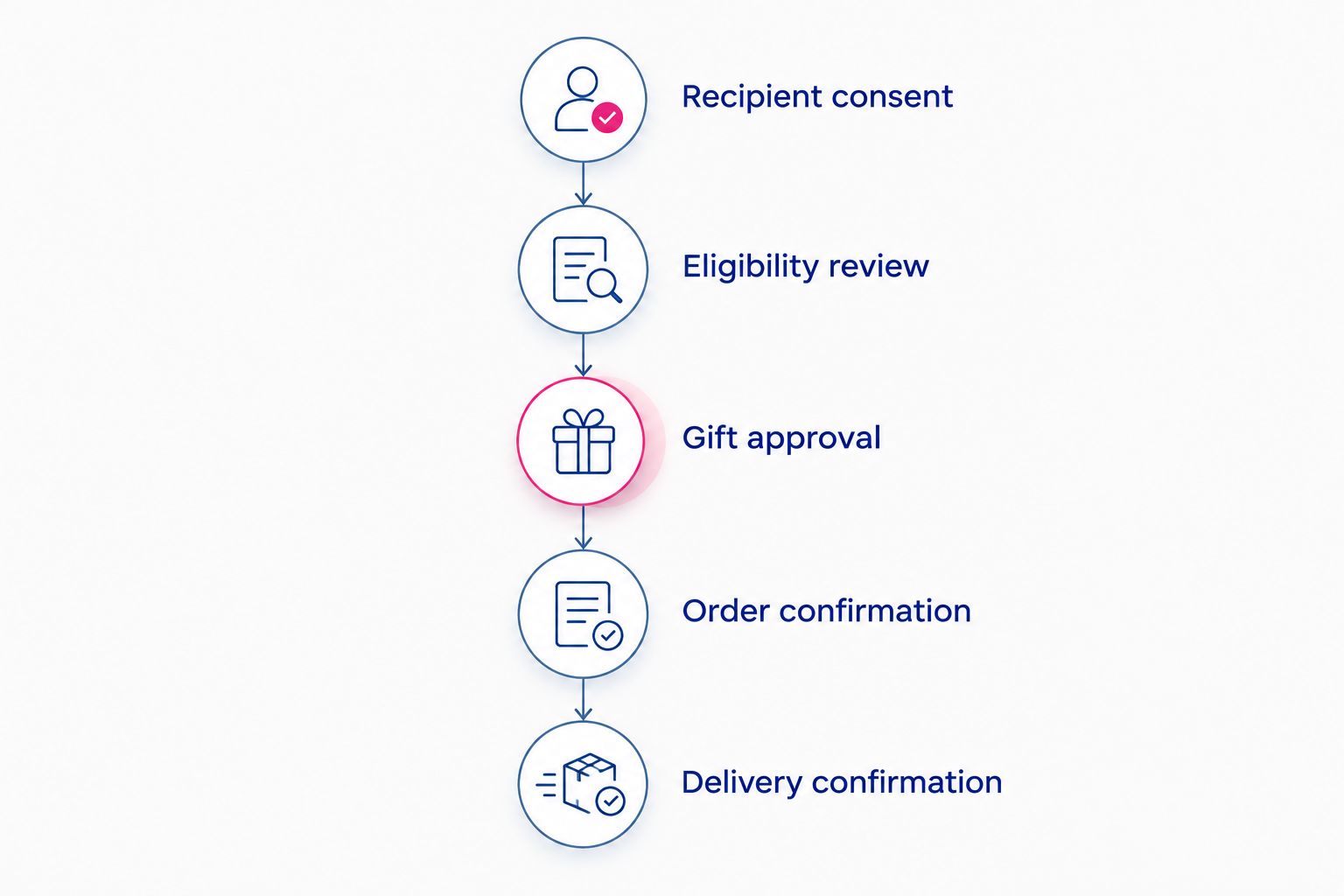
An approval tells you the gift is authorized. An order confirmation tells you the retailer has recorded an order; delivery confirmation belongs to the actual fulfillment record. Keep those meanings distinct in recipient emails and internal reporting.
- Attach the order reference. Save the retailer order identifier against the approved recipient record after submission. If ordering is manual, make this a required purchasing handoff.
- Record shipment information. Add tracking details from the actual fulfillment process. Use automated updates only where the connection documents them.
- Explain delivery requirements. Confirm the applicable adult-signature and identification requirements with the retailer and carrier, then communicate them before dispatch.
- Assign exception handling. Route address problems, unsuccessful delivery attempts, and recipient questions to a named person. Do not let an unresolved shipment disappear into a completed campaign.
Expected result: Your team can distinguish accepted invitations, submitted orders, and delivered gifts without treating one status as proof of another.
Send a gift when an account milestone is updated
A second workflow uses a recurring business event instead of a scheduled campaign. Examples include an employee anniversary or a customer milestone, provided your company permits that occasion to trigger gifting review.
Use the event to start an invitation or approval request, not an unconditional wine shipment. An updated account record does not establish alcohol consent or a current delivery address.
- Define the exact milestone that qualifies for review.
- Check whether the same recipient has already received a gift for that milestone.
- Request acceptance and current delivery details.
- Apply the same eligibility, selection, approval, and ordering gates used for the scheduled campaign.
- Write the order reference back to the business record after submission.
This variant suits recurring recognition; its drawback is that record edits can repeat the initiating event. Require a unique milestone reference and a prior-order check before enabling repeatable processing in 2026.
Expected result: A qualifying milestone creates a controlled gifting request without turning every account update into another order.
Troubleshooting
The platform accepts the product link but creates no order
A catalog entry is not an ordering connection. Confirm whether the provider supports actual retailer order submission; if not, use the manual purchasing handoff and record the resulting order confirmation.
The recipient's address fails the destination check
Keep the record on hold and confirm the restriction with the fulfillment provider. Request a different eligible address only when appropriate, or offer a company-approved non-alcohol alternative; do not bypass the check.
The same recipient enters the queue again
Review the initiating event and the campaign-recipient duplicate check. Preserve the original order reference, and stop new submission until the purchaser confirms whether an order already exists.
The recipient misses a delivery attempt
Use the carrier's actual notice and tracking record to determine the next permitted action. Contact the recipient with that information rather than promising a replacement or a particular redelivery outcome.
The selected tasting variant differs from the approved gift
Compare the recipient preference, approval record, and submitted order. Escalate the mismatch before taking corrective action; changing the spreadsheet does not change an order already submitted to the retailer.
Customize your workflow
Expand by recipient preference before expanding automation. Separate red-wine, white-wine, and mixed-selection requests, then let the purchaser review each approved choice rather than applying one wine to the entire audience.
Buywinesonline wine gifts belong at the selection stage; your platform's documented capabilities determine the ordering and tracking stages. For the purchasing checks behind that distinction, read how to choose a reliable online wine retailer.
Add reporting fields that answer operational questions: who accepted, who declined, which orders were submitted, and which deliveries need attention. Restrict recipient-address visibility and set a retention rule under your company's data policies.
FAQ
Can I send wine through any corporate gifting platform?
No; confirm that your platform supports alcohol gifts and the intended fulfillment route. Support for physical gifts or custom product links does not establish wine ordering support.
Does Buywinesonline connect directly to my gifting platform?
Verify support with your platform provider before configuring a connection. Buywinesonline supplies retail wine gifts, but retailer selection alone does not establish a native integration.
What information should I collect before sending a corporate wine gift?
Collect alcohol-gift acceptance, wine preference, and the delivery information required by the fulfillment process. Apply destination, age-verification, and company-policy checks before submitting the order.
Can I send wine without asking the recipient first?
Use an opt-in invitation before sending corporate wine gifts. It lets the recipient decline alcohol and provide a suitable delivery address without disclosing personal reasons.
Is a tasting set better than a single-bottle wine gift?
A tasting set fits recipients who want a larger selection; a single-bottle gift fits recipients who prefer a smaller gift in a confirmed style. Choose from the recipient's preferences rather than treating more bottles as automatically better.
Can an account update automatically trigger a wine gift?
Use an account update to initiate a gifting request, with approval before order submission. Add a milestone identifier and prior-order check so repeated updates do not create duplicate gifts.
How do I know whether a corporate wine gift was delivered?
Use the delivery record from the actual fulfillment process. Platform approval, recipient acceptance, and retailer order confirmation are not delivery confirmation.
One last thing
A recipient's acceptance is not proof that someone can receive the delivery. Before you release orders, communicate the actual delivery requirements and give recipients a chance to correct their address. That final check is more useful than adding another automated reminder to an unresolved shipment.